


AnKing Step Deck (Anki) Review
by AnKing
The 30,000-card community deck that runs Step 1 prep
✓Pros
- ✓30,000+ crowd-vetted, continuously updated cards
- ✓Free deck, mapped to First Aid, Pathoma, and Sketchy
- ✓Powerful tagging to study by topic or resource
- ✓The de facto standard for spaced-repetition on Step 1
✗Cons
- ✗Huge — requires early, consistent daily reviews
- ✗Steep Anki learning curve for beginners
- ✗AnkiHub auto-updates sit behind an optional paid tier
Highlights
- ✓The full AnKing Step 1/2/3 card library (.apkg / AnkiHub)
- ✓Tags linking cards to First Aid, Pathoma, Sketchy, B&B
- ✓Community setup guides and add-on recommendations
Price
✓Free
What Students Are Saying
Sign in to leave a review

Expert Rating
The AnKing Step Deck is the crowd-maintained Anki deck most high scorers use for Step 1, and the current release is V12: more than 30,000 cards covering Step 1, Step 2 and Step 3. It is not a free download any more. AnkiHub hosts the deck and lists it under the paid Core plan at $6 a month, with the free plan covering only a Getting Started tutorial deck and community decks such as Dermki.
That single change is what most advice about this deck still gets wrong. This review covers what you actually pay, how the official download works, and whether the deck is worth starting at all given where you are in your timeline.
Summary Table
| Feature | AnKing Step Deck (Anki) |
|---|---|
| Price | AnkiHub Core plan, $6 per month |
| Current release | V12 |
| Cards | More than 30,000, covering Step 1, 2 and 3 |
| Method | Spaced repetition in Anki |
| Tagged to | First Aid, Boards & Beyond, UWorld, the NBMEs, Costanzo Physiology, Sketchy |
| Updates | Daily through AnkiHub, with a monthly change log |
| Best Use | Long-term fact retention, started early |
AnKing Step Deck (Anki) Overview
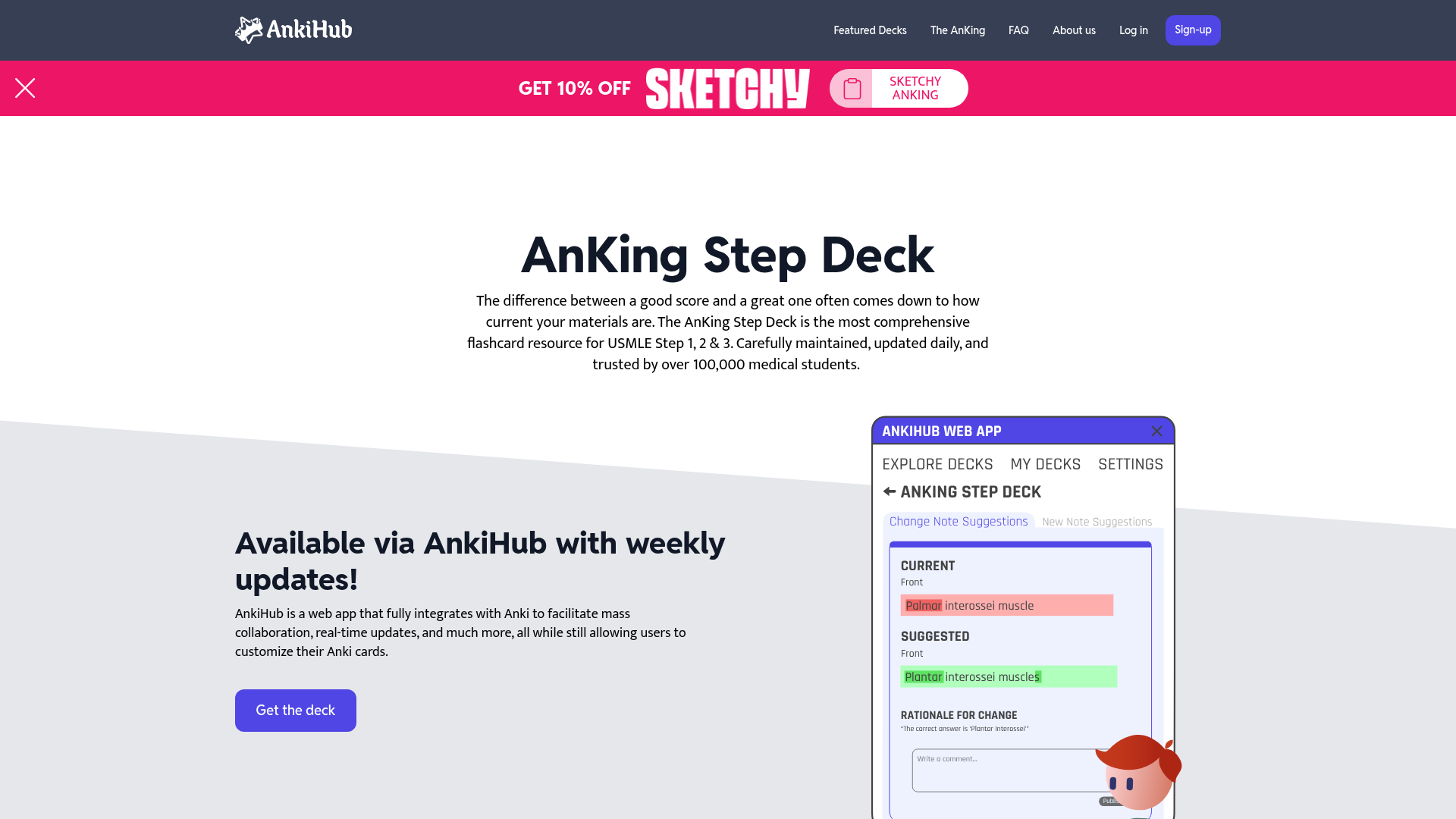 The AnKing Step Deck page on AnkiHub
The AnKing Step Deck consolidates years of community Anki decks, Zanki and Lolnotacop among them, into one organized, tagged, continuously maintained library covering Step 1, 2 and 3. Cards are cross-tagged to the major resources, so you can unsuspend exactly the cards that match the Pathoma chapter or Sketchy video you just watched.
The tagging goes further than most students realize. Cards are tagged by UWorld question ID, so you can paste a string of QIDs from a block you just finished and pull up the matching cards. AnkiHub also lists tags for Boards & Beyond, the NBMEs and Costanzo Physiology, and the maintainers' November 2026 log adds new UWorld Step 1 and Step 3 tags plus Osmosis, TrueLearn and COMAT self-assessment tags.
How to download the AnKing Step Deck
You cannot download the current deck as a loose file. It installs through AnkiHub, and an active membership is part of the process. The official deck wiki gives five steps:
- Install Anki on a desktop computer from the official Anki site.
- Choose an AnkiHub membership.
- Sign in to AnkiHub from inside Anki, under Preferences and then Third-Party Services.
- Subscribe to the AnKing Step Deck on AnkiHub.
- Click Sync in Anki and follow the prompts to pull down the deck and its media.
On a current version of Anki you no longer need to install the AnkiHub add-on separately: signing in through Preferences installs it for you. The first sync is large, because the media files carry the Sketchy, Physeo and Pixorize images, so do it on a decent connection rather than the night before you want to study.
Why the free copies you find are a trap
Search for the deck and you will land on forum threads passing around older files. Those are V11 or earlier. AnkiHub's own FAQ answers the question of whether there will still be free public releases by saying that future updates are published only through AnkiHub, and the maintainers log changes every month: the November 2026 entry alone adds new tags, new radiology images and new cards for recent Step 2 content.
A static copy from a forum stops receiving all of that on the day it was uploaded. You would be memorizing a snapshot of the deck and inheriting every error that has since been fixed.
What the AnKing deck costs in 2026
AnkiHub lists four tiers. The Step Deck starts at Core.
| Plan | Price | What it carries |
|---|---|---|
| Free | $0 | Getting Started with Anki tutorial deck, free community decks such as Dermki. Not the Step Deck |
| Core | $6 per month | Everything in Free, plus hundreds of maintained decks including the AnKing Step Deck, and build-your-own deck features |
| Premium | $10 per month | Everything in Core, plus Smart Search, the AnkiHub chatbot, and Boards & Beyond and First Aid Forward content inside Anki |
| Lifetime | $450 once | Everything in Premium, listed as an early access rate |
Prices read from AnkiHub on November 19, 2026. Anki itself is separate and free on desktop and Android; AnkiMobile on iOS is a paid app from Anki, not from AnkiHub. AnkiHub also publishes a scholarships page for students who cannot pay.
AnKing Step Deck (Anki) Review For 2026
Why it still dominates
Spaced repetition is the most efficient way to retain thousands of discrete facts, and this is the best-organized implementation of it for the boards. The tagging is the reason: you study exactly what you just learned instead of whatever the algorithm serves up.
Because it maps onto First Aid, Pathoma and Sketchy, it slots into the standard workflow rather than competing with it. Pair it with the UWorld Step 1 Qbank and the QID tags turn every block you review into a targeted card set.
The real cost is discipline, and now money too
The deck is enormous. Started late, the daily review load becomes crushing. The winning move is to begin during preclinical coursework and never miss a day, unsuspending cards as you cover topics. Our Step 1 study plan sets out what that looks like week by week.
The subscription changes the calculation for late starters. Paying $6 a month for a deck you began two months before dedicated buys you a backlog you will not clear. If that is your situation, the honest answer is to use a question bank properly and skip the deck.
New Anki users should also budget time to learn the app before relying on it.
Who AnKing Step Deck (Anki) Is Best For
- Students starting Step 1 memorization during preclinical years, with a year or more of runway
- Anyone building the standard UWorld, First Aid, Anki, Pathoma and Sketchy stack
- People who already know Anki and retain facts best through spaced repetition
- Students whose school curriculum has an optional tag set on AnkiHub
When You Might Look Elsewhere
- You are starting dedicated in a few weeks and cannot absorb 30,000 cards
- You will not keep a daily habit, in which case the subscription is money for nothing
- You strongly dislike flashcards or Anki's interface
- Your budget is tight and the question bank has to come first. Our roundup of free USMLE Step 1 resources shows how far the genuinely free tools go
Final Verdict
The AnKing deck is still the retention layer under everything else in Step 1 prep, and the V12 release is maintained more actively than any alternative. What has changed is that it is now a subscription rather than a free download, which makes it a commitment to decide on deliberately rather than a default to grab.
Start early, review every day, and let the tags tie the deck to your Qbank and videos. Start late and the money is better spent elsewhere.
AnKing Step Deck (Anki) FAQs
Is the AnKing Step Deck free?
No, not the maintained version. AnkiHub hosts the deck and lists it under the paid Core plan at $6 a month, while its free plan covers a Getting Started tutorial deck and free community decks such as Dermki. The Anki software is a separate thing and is free on desktop and Android.
How do I download the AnKing Step Deck?
Install Anki, choose an AnkiHub membership, sign in to AnkiHub from inside Anki under Preferences and Third-Party Services, subscribe to the deck on AnkiHub, then click Sync. There is no official loose file to download, and the copies circulating on forums are older releases that no longer receive corrections.
What version of the AnKing Step Deck is current?
V12. The official deck wiki is titled the AnKing Step Deck (V12) wiki, and the maintainers publish a change log every month. Older files labelled V11 or earlier are superseded.
When should I start the AnKing deck?
As early as you can, ideally alongside your preclinical classes. Starting during dedicated makes the load of more than 30,000 cards very hard to manage, and since the deck now carries a monthly cost, a late start means paying for cards you will never see.
How many cards are in the AnKing Step Deck?
AnkiHub states the deck holds more than 30,000 flashcards covering Step 1, Step 2 and Step 3. Most students keep the large majority suspended and unsuspend sub-tags as they cover each topic, rather than facing the whole deck at once.
We may earn commissions from some links on this page, but this does not affect our reviews or your experience.
Our Verdict
The memory engine of modern Step 1 prep, and no longer a free download. The V12 deck has more than 30,000 cards tagged to First Aid, UWorld, Pathoma, Sketchy and Boards & Beyond, but it now syncs through AnkiHub's paid Core plan at $6 a month. Worth it if you start early enough to use it; an expensive habit to buy and then abandon.